Skip to content
Configure ConnectWise
- Log into ConnectWise
- Click on System

- Click Security Roles

- Click
 to add a new Security Role
- Enter “Blacksmith Integration” for the Role ID
- Select the following role permissions
| Category |
Subcategory |
Add Level |
Edit Level |
Delete Level |
Inquire Level |
| Companies |
Company Maintenance |
None |
None |
None |
All |
| Project |
Close Project Tickets |
None |
My |
None |
My |
| Project |
Project Headers |
My |
My |
None |
My |
| Project |
Project Phase |
My |
My |
None |
My |
| Project |
Project Scheduling |
My |
My |
None |
My |
| Project |
Project Ticket Tasks |
My |
My |
None |
My |
| Project |
Project Tickets |
My |
My |
None |
My |
| Service Desk |
Close Service Tickets |
None |
All |
None |
All |
- Click
 to Save
- Click on System
- Click on Members
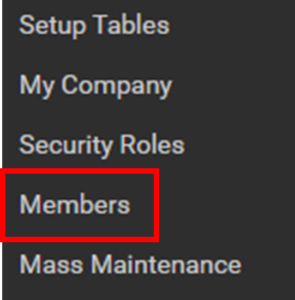
- Click on API Members Tab

- Click to add a new API Member
- Enter “Blacksmith” for Member ID
- Enter “Blacksmith InfoSec” for Member Name
- Select “Blacksmith Integration” for the Role Member
- Select a Location and Business Unit based on your organizational setup.
- Click to Save

- Click on API Keys Tab

- Click to add a new API Key
- Enter “Blacksmith Integration” for the Description
- Note down your Public Key and Private Key
- Click to Save
Configure Blacksmith InfoSec
- Log into Blacksmith InfoSec
- Browse to https://web.dev.blacksmithinfosec.com/dashboard/company/integrations
- Click Edit Connection

- Select ConnectWise from the drop down menu
- Configure the ConnectWise Inegration
- Enter the Site from the URL of ConnectWise for example if your ConnectWise URL is https://na.myconnectwise.net enter na.myconnectwise.net
- Enter your ConnectWise Company ID
- Enter your Public API Key and Private API Key created in Step 14 of configuring ConnectWise.
- Click Test Connection
- You should receive the below message:

- You should receive the below message:

- You should receive the below message:
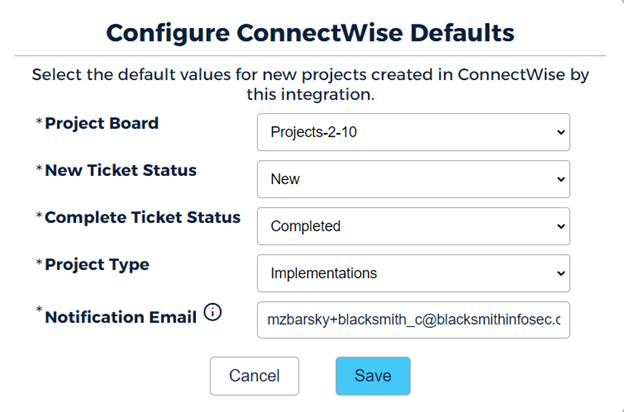
- Select the Project Board where you want the projects created
- Select the New Ticket Status
- Select the Project Type
- Enter a Notification Email (This email will be used to send API notification emails if there are any issues